Teacher Portal
Everything a teacher does in a day, in one place
Today's lessons, registers, schemes of work, marks, results, report comments and pastoral care, built around the classes each teacher actually teaches.
See it for your school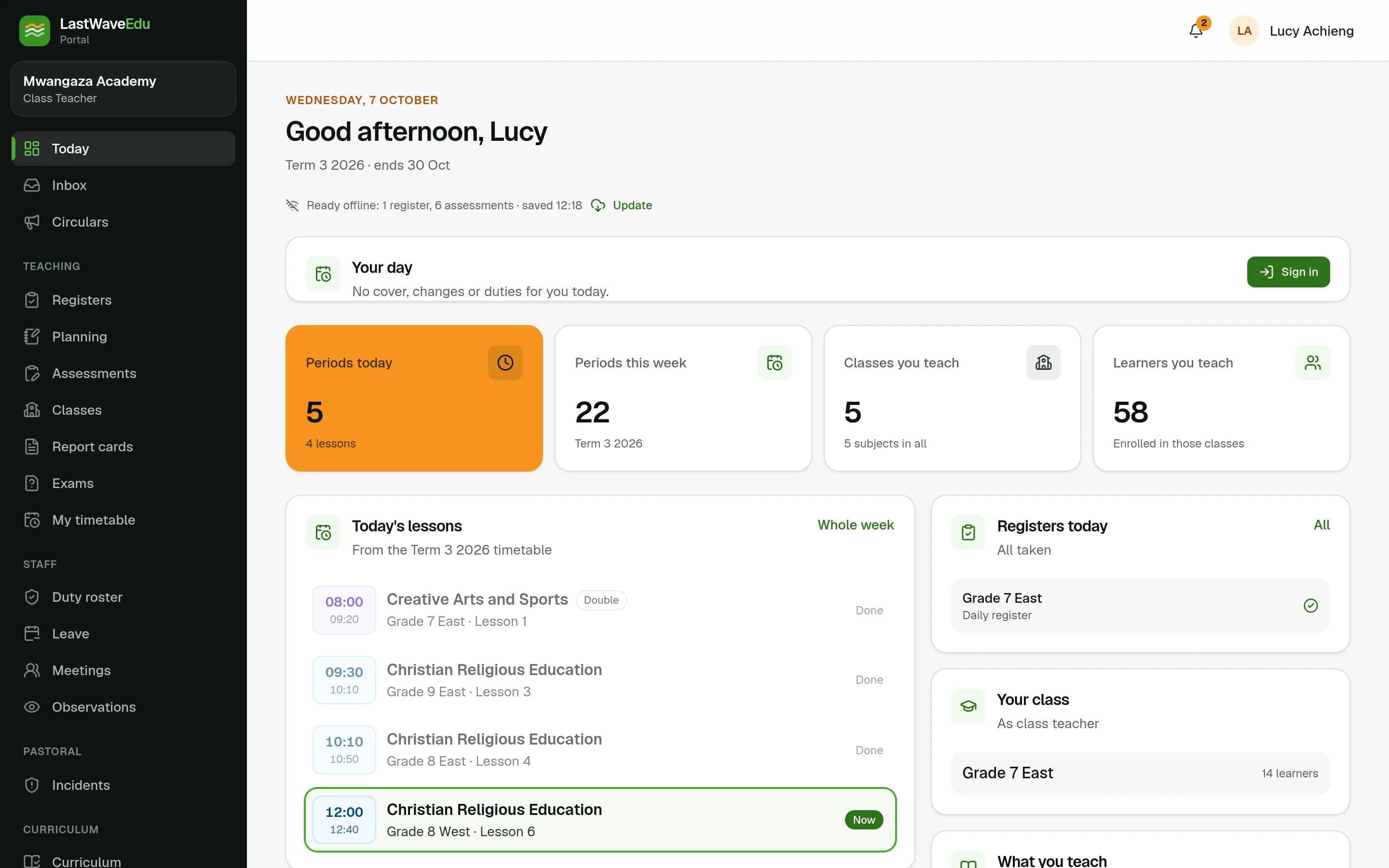
Built around the timetable
- Today shows each teacher's lessons, the registers still to take and the work waiting for them.
- Class teachers, Heads of Stream and Heads of Department each see the classes they look after, not the whole school.
- Tasks, circulars with read receipts, notifications and approvals arrive in one inbox.
Planning and marks
- Schemes of work and lesson plans from the school's curriculum, approved by the Head of Department and the Director of Studies.
- CATs and exams entered as a grid, one learner at a time on a phone, or from a spreadsheet, with every change kept.
- CBC rubric levels per learning outcome, and KNEC school-based assessment evidence stored against each learner.
Care for each learner
- Learner profiles with results, attendance, conduct, duties and guardians in one view.
- Merits and demerits, incident reports up a clear escalation ladder, and confidential counselling referrals.
- Lesson observations shared with the teacher, as inputs to TSC TPAD appraisal.
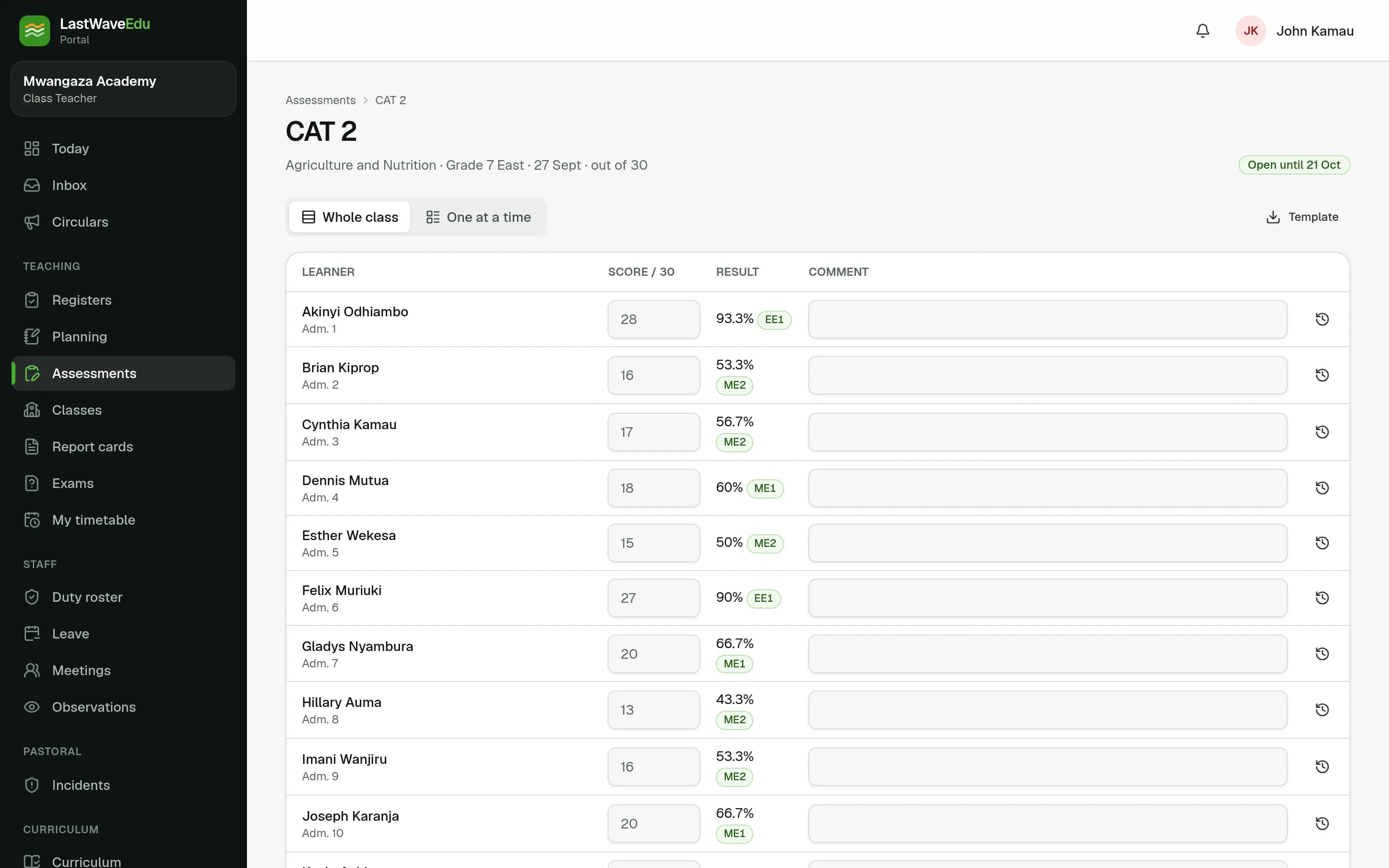
Entering CAT marks for a class with live percentages and grades
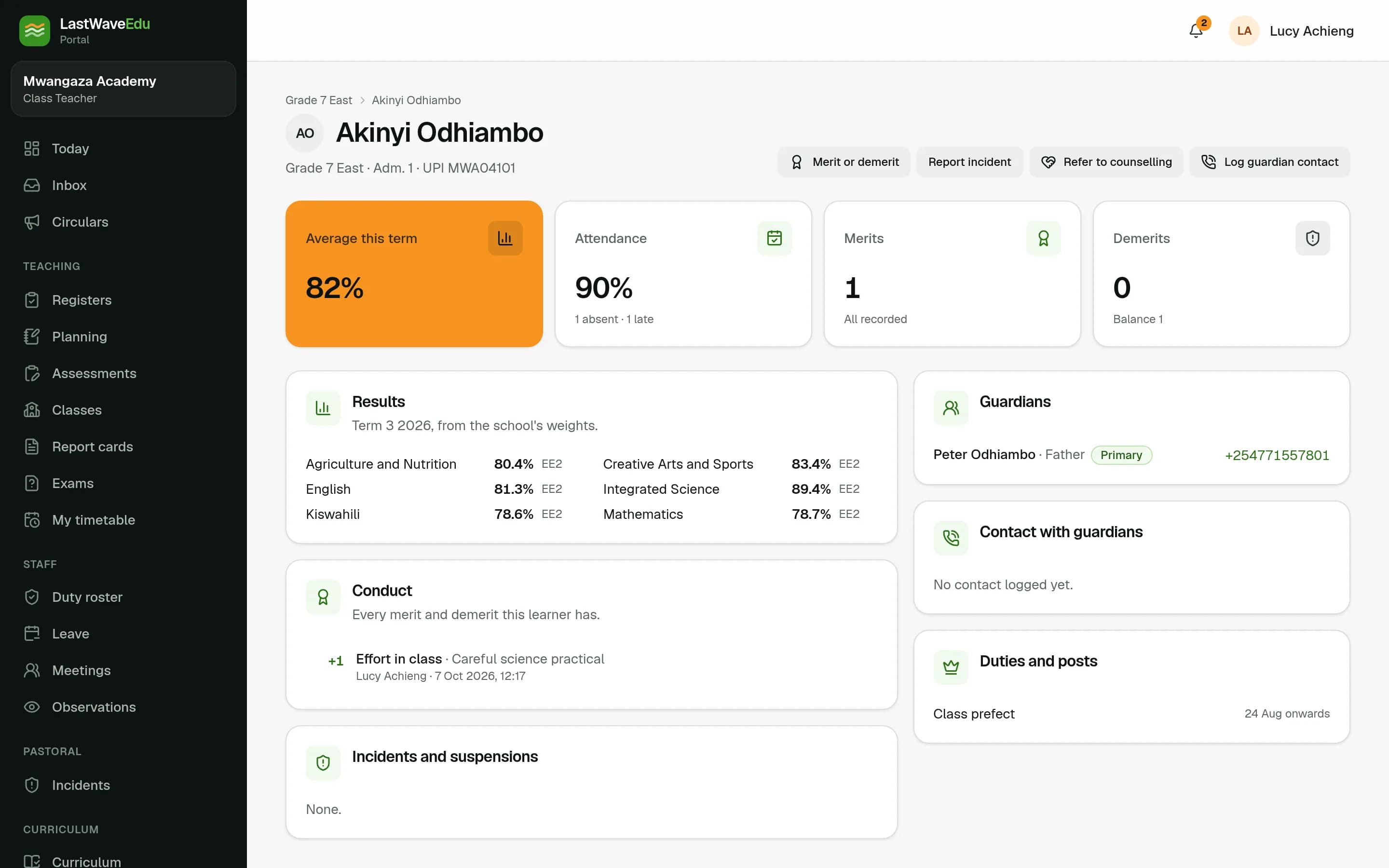
A learner's profile: results, attendance, conduct and guardians
Questions about teacher portal
Do teachers need a computer?
No. The Portal is built for phones first: registers and marks work one learner at a time on a small screen, and keep working without a connection.
Can a teacher see every learner in the school?
No. Teachers see the classes they teach or look after. Medical and special-needs details stay restricted, and counselling notes are seen only by the counsellor.